GDPR / DSGVO Cookie Consent
A GDPR/DSGVO-compliant cookie-consent layer shipped as a CMS widget you drop into a layout — equal-prominence Accept / Reject / Customize, granular categories, and Google Consent Mode v2.
What it is
A GDPR / DSGVO-compliant cookie-consent layer for the public storefront — shipped not as a separate plugin but as a CMS vue-component widget an admin drops into a layout through the existing layout editor. No new plugin, no core change: it lives entirely in the three cms plugin repos (fe-user, fe-admin, backend).
On first visit (or after the consent policy version is bumped) the widget renders a dialog with three equally-prominent choices:
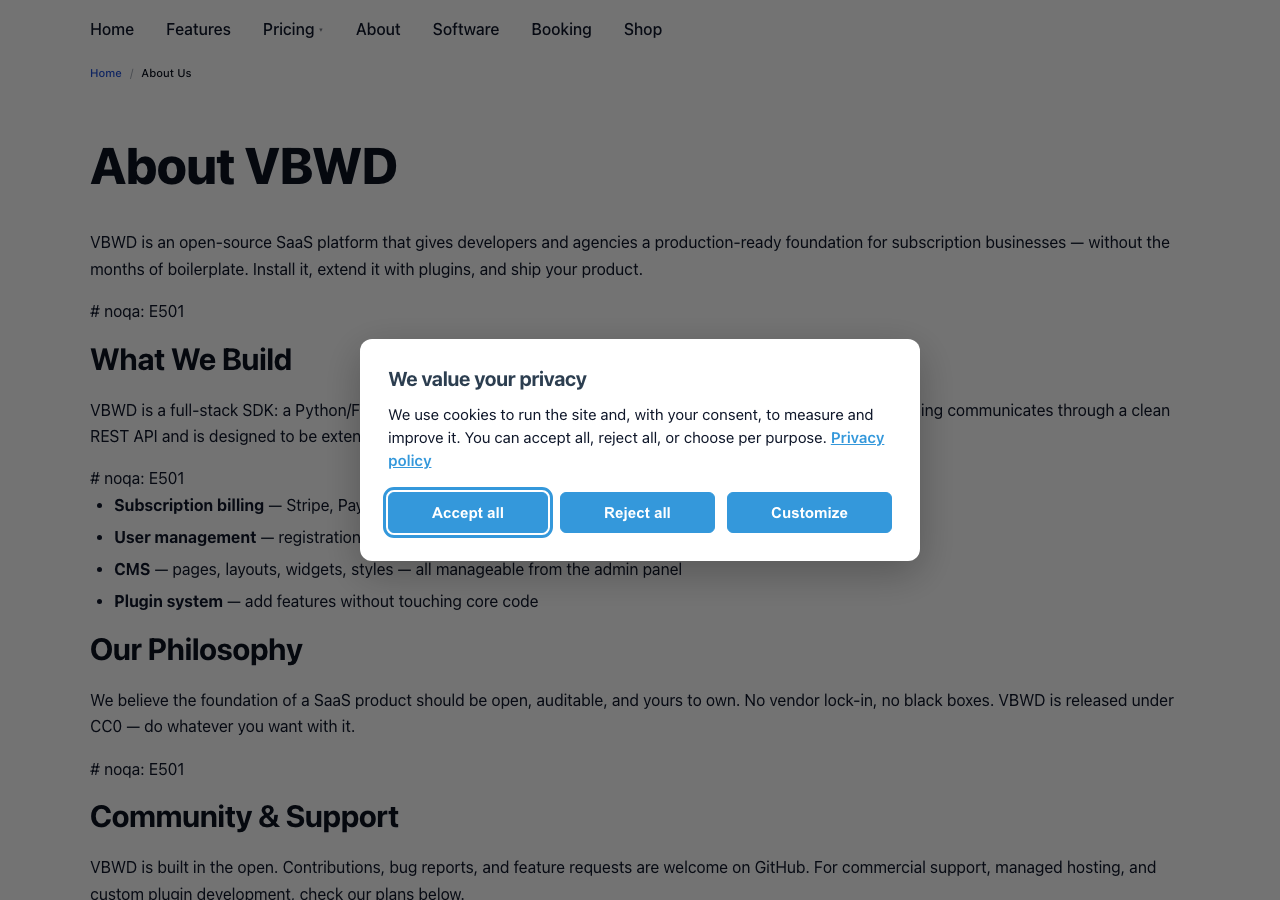
The consent dialog — two layers
Layer 1 states the purpose, links the privacy policy, and offers three buttons of equal prominence — Accept all, Reject all, Customize. Equal styling is a DSGVO requirement: refusing must be as easy as accepting, with no dark-pattern nudging.
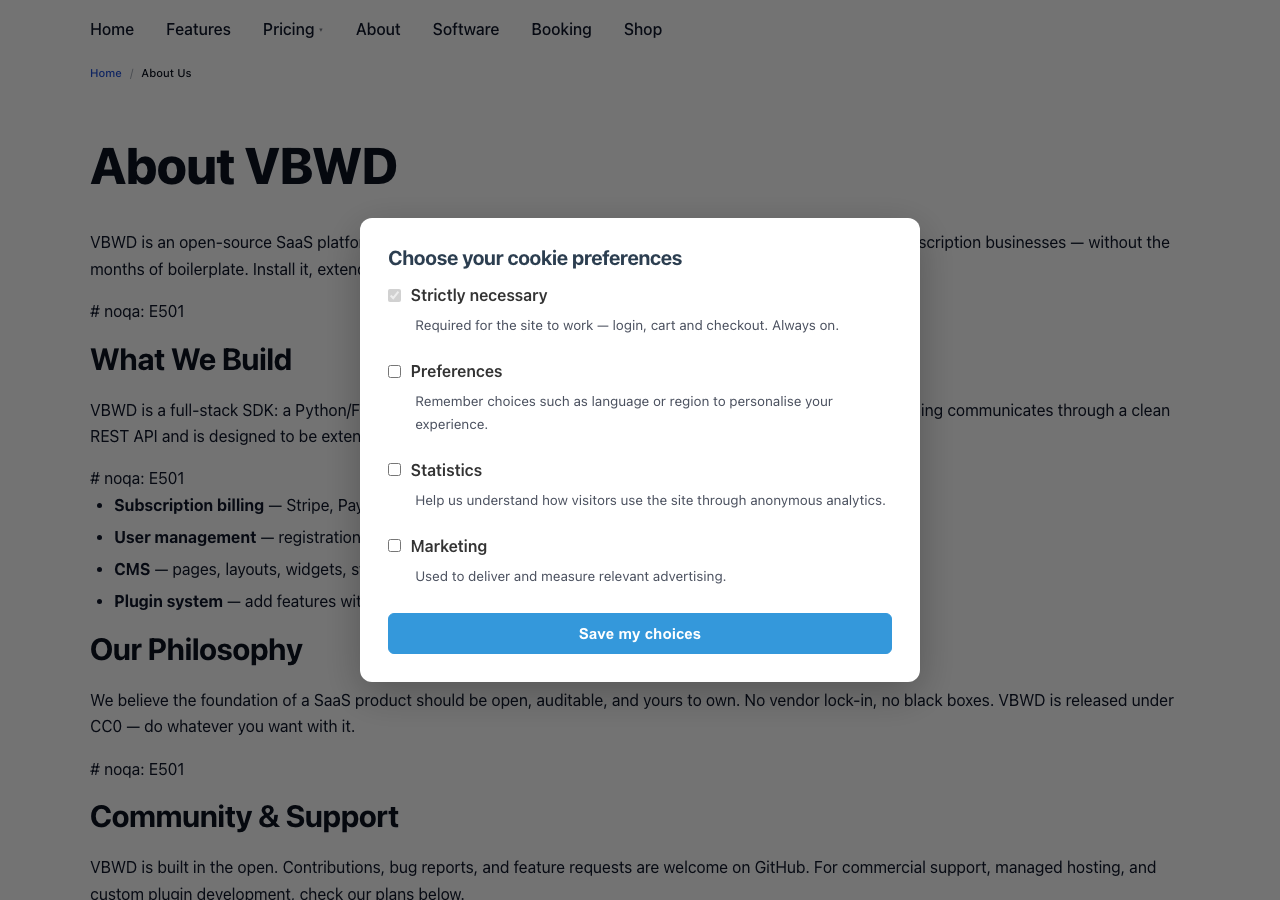
Layer 2 (Customize) gives one toggle per category with its purpose copy, and a Save my choices button. Strictly necessary is locked on and cannot be disabled; Preferences, Statistics and Marketing default to off (no pre-ticked boxes).
How consent is enforced — Consent Mode v2
The widget does not bundle an analytics SDK; it only signals consent. It emits Google Consent Mode v2 signals so any consent-aware tag (a CMS CustomCode snippet, a gtag tag, …) respects the decision automatically:
- Default = denied for every non-necessary signal, pushed to
dataLayeras early as possible (queued even ifgtaghas not loaded yet) — so nothing tracks before a decision. - On decision →
gtag('consent','update', …)mapping categories to signals:statistics→analytics_storage,marketing→ad_storage / ad_user_data / ad_personalization,preferences→functionality_storage / personalization_storage. - Non-gtag consumers read the same truth via
useConsent().granted(category)or thevbwd:consent-changedwindow event.
The decision is stored client-side, versioned and withdrawable:
// localStorage key: "vbwd_cookie_consent"
{
  "version": 1,                 // = config.consent_version; stale => re-prompt
  "decidedAt": "2026-06-27T12:00:00Z",
  "method": "accept_all" | "reject_all" | "custom",
  "categories": { "necessary": true, "preferences": false,
                  "statistics": false, "marketing": false }
}
Adding it to your site
Because it is a CMS widget, there is nothing to install — it is a seeded record an admin places in a layout:
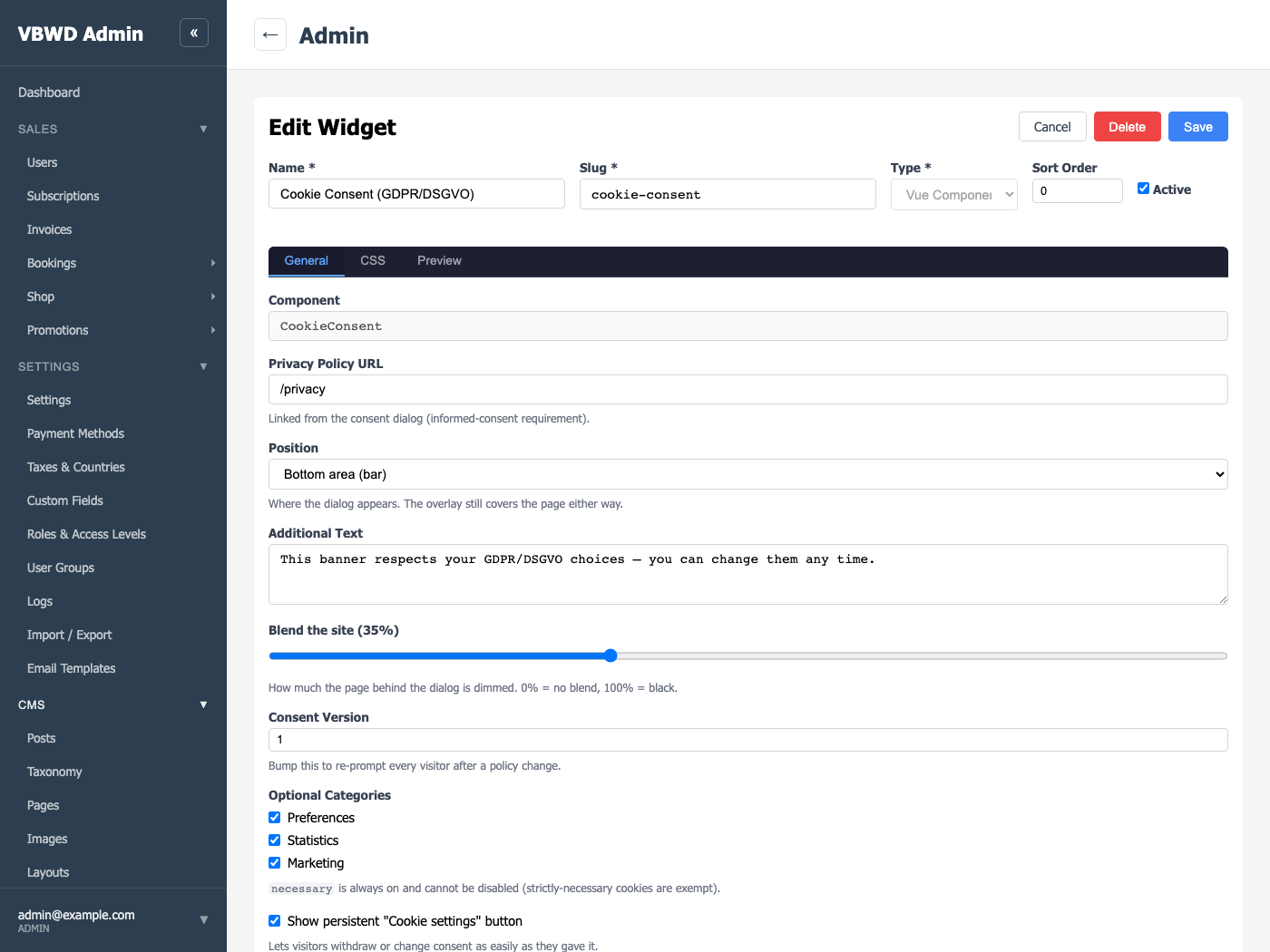
- CMS → Widgets — the “Cookie Consent (GDPR/DSGVO)” record is in the picker. Open it to set the privacy-policy URL, the position, the dim level, the consent version, which optional categories appear, and whether the persistent settings button shows.
- CMS → Layouts — edit the public layout and drag the Cookie Consent widget into any area (the footer is the natural home — the overlay self-positions). Save.
- The component teleports to
<body>, so it shows site-wide on every page that uses that layout, on first visit.
Modal or bottom bar
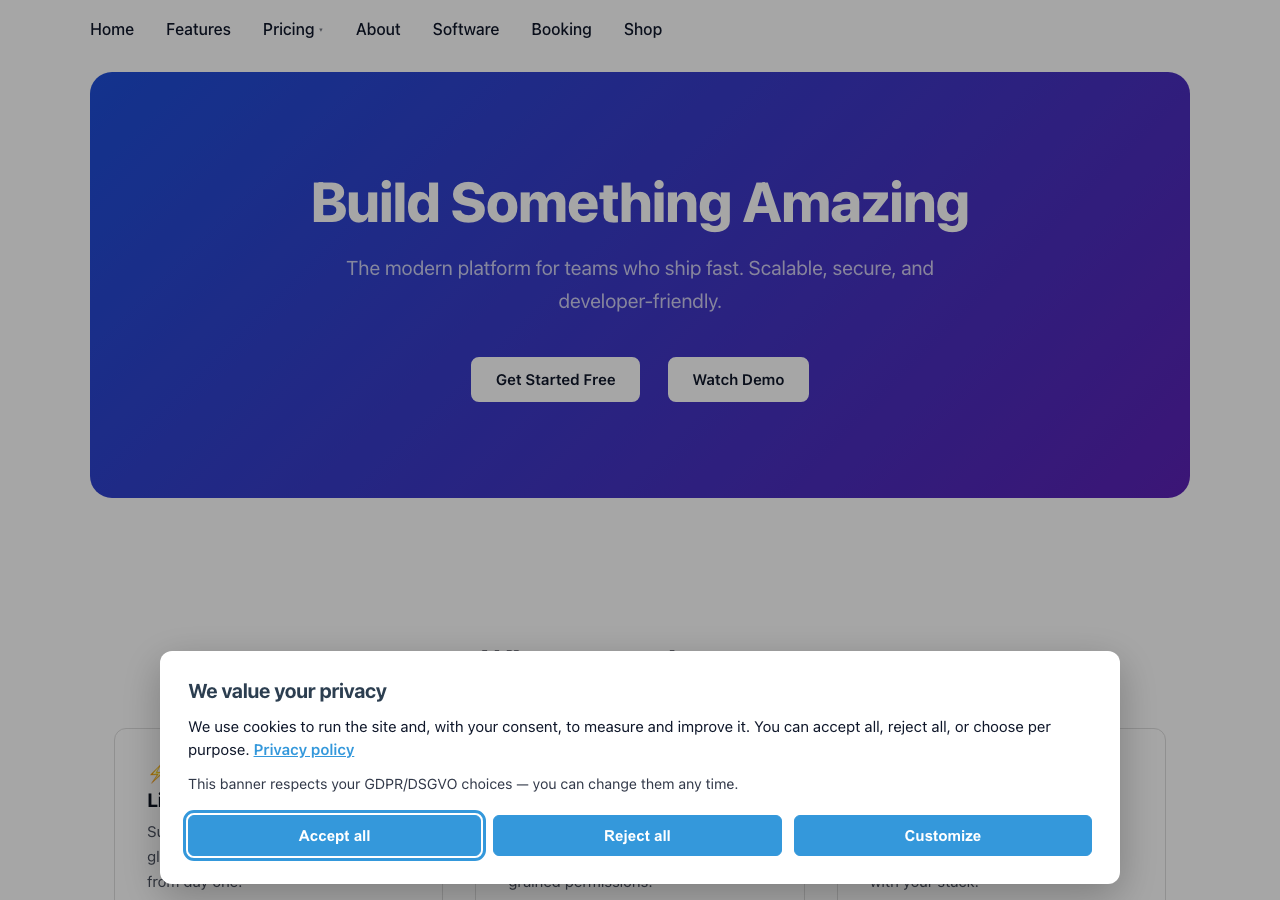
The Position setting chooses how the dialog appears — a centred modal or a bottom bar — while the dim overlay still covers the page either way. An optional Additional text line and a Blend the site slider (how much the page behind is dimmed) let each site tune the look without any custom CSS.
Withdrawing & changing consent
Consent must be as easy to withdraw as to give. After a decision the dialog hides and a persistent “Cookie settings” affordance remains so a visitor can reopen the dialog and change their mind — switching to Reject re-emits denied signals immediately. A CMS footer-menu link can also reopen it by dispatching the vbwd:open-cookie-consent window event (decoupled — no menu coupling).
Bumping Consent Version in the widget config marks every stored decision stale, so all visitors are re-prompted after a policy change.
Compliance map
| Requirement | How it is met |
|---|---|
| Prior consent for non-essential trackers | Consent Mode v2 default = denied; tags fire only after an explicit update. |
| Strictly-necessary exempt | necessary is always on; login / cart / checkout are never gated. |
| As easy to refuse as to accept | Reject all sits on layer 1 with equal prominence to Accept all. |
| Granular & specific | Layer-2 per-category toggles with purpose copy and Save my choices. |
| Informed | Purpose text per category + a configurable privacy-policy link. |
| Freely given / withdrawable | Persistent Cookie settings affordance + reopen event; reject re-denies instantly. |
| Proof / record | Versioned localStorage record (version, decidedAt, method, categories); a server-side audit record is the documented upgrade. |
| Re-consent on policy change | Bump consent_version ⇒ everyone is re-prompted. |
| No dark patterns | Equal button styling, no pre-ticked non-necessary toggles, refuse never buried. |
Under the hood
It rides the CMS three-layer widget pipeline — no new model, migration, renderer or SDK change:
- fe-user (
vbwd-fe-user/plugins/cms/) —CookieConsent.vue(teleports a focus-trapped overlay tobody, reusing the fe-core design system), theuseConsent()composable (one source of truth) and theconsentMode.tsbridge; registered viaregisterCmsVueComponent('CookieConsent', …). - fe-admin (
vbwd-fe-admin/plugins/cms-admin/) — a widget-editor descriptor (registerWidgetEditor) supplying the config form and a live preview. - backend (
vbwd-backend/plugins/cms/) —populate_cms.pyseeds thecookie-consentCmsWidgetrecord (content_json.component == 'CookieConsent') so it appears in the picker; settings ride the existingCmsWidget.configJSON.
See the CMS plugin reference for the widget system this builds on.