Selling on Telegram usually means one of two bad options: a clumsy bot that only understands slash-commands, or a full custom build that takes months. VBWD offers a third path — connect your existing store to Telegram, drop in a RAG-grounded LLM sales consultant, and let customers browse, ask, and buy through tappable cards, all from plugins you enable rather than code you write. This is a walkthrough of how the pieces fit, with the real admin screens.
If you want the conceptual background first, the companion piece Messaging, End-to-End Encryption, and Bots explains the messaging and bot architecture this builds on, and the CMS-AI article covers the central LLM connection these bots reuse.
Step 1 — You already have the store
The commerce channel starts with your catalogue. In the VBWD admin, a product is a normal listing with a name, price, currency, and tax class — the same data your web checkout uses. That "same data" point is the whole reason the bot can quote real prices later: it reads the live catalogue, not a copy.
Step 2 — Understand the bot layers
VBWD's bots are deliberately layered, and knowing the layers is what makes the setup make sense:
- bot-base — the transport-neutral core. It defines the neutral message types every bot speaks (text, links, and choice buttons) and a registry that messenger adapters plug into. It isn't a bot itself; it's the framework.
- bot-telegram — the Telegram adapter. It turns Telegram updates into neutral messages and renders your bot's replies as Telegram inline keyboards.
- bot-search — adds a
/searchcommand over your catalogue, reading a core registry so it can surface products (and never your customers or invoices — that's blocked at the registry). - bot-meinchat-llm — the RAG-grounded LLM sales consultant.
The payoff of this layering: you configure the bot once, and because Telegram is just one adapter behind the neutral interface, the same bot also works inside VBWD's own meinchat messenger. Write once, run in both channels.
Step 3 — Connect Telegram
Enable bot-telegram and it appears in the backend plugins admin. It self-registers into the bot bridge and depends only on bot-base. In production you point it at a webhook (validated with a per-bot secret); for local development it can long-poll instead.
Step 4 — Add the LLM sales consultant
This is the heart of it. Enable bot-meinchat-llm and you get a consultant that answers grounded in two things: your sales corpus and the live, authoritatively-priced catalogue. Its config screen is where the important decisions live, and every field maps to a real behaviour:
Reading that screen top to bottom:
- LLM connection slug. The plugin stores no API key. It resolves a central LLM Connection you configure once (leave it blank to use the active default). Point that one connection at OpenAI, Anthropic, or a model you host, and every AI feature follows — see the developer docs for the connection registry.
- Persona. Plain-language voice steering — here, "a friendly, concise sales consultant… recommend only from the provided catalogue and never invent a price."
- Retrieval mode. Postgres full-text search over your own documents — no external vector database to run. The corpus directory is where you drop the markdown/PDF product and pricing knowledge the bot answers from.
- Offer referral reward. On a buy intent the consultant can mint a referral discount so a redeemed sale is attributable.
The crucial property: prices don't come from the language model. Recommendations and prices are pulled from the live catalogue through the platform's pricing engine — so the bot never invents a price, it reads the same number your checkout would.
Step 5 — Rich content: buttons and a cart, not a wall of text
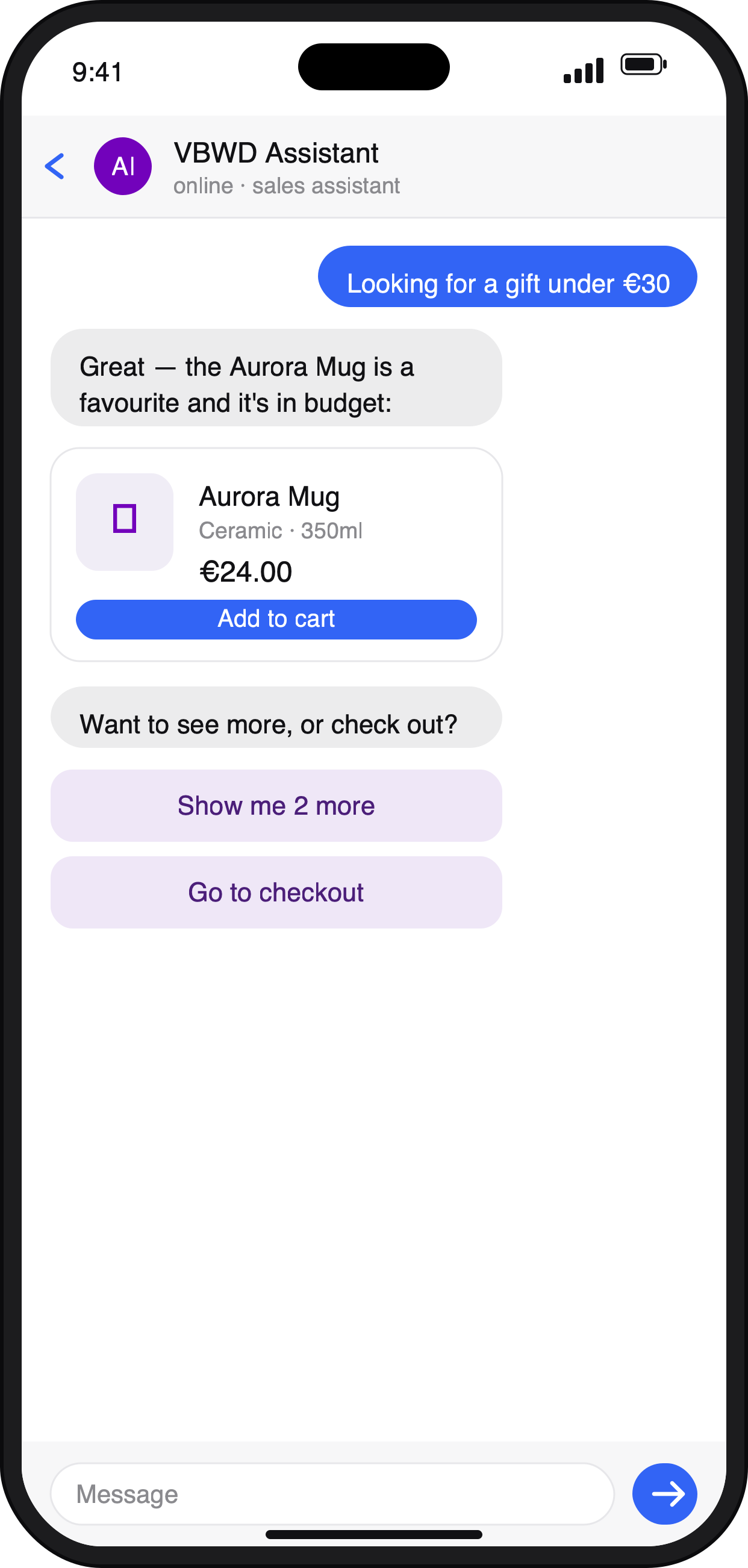
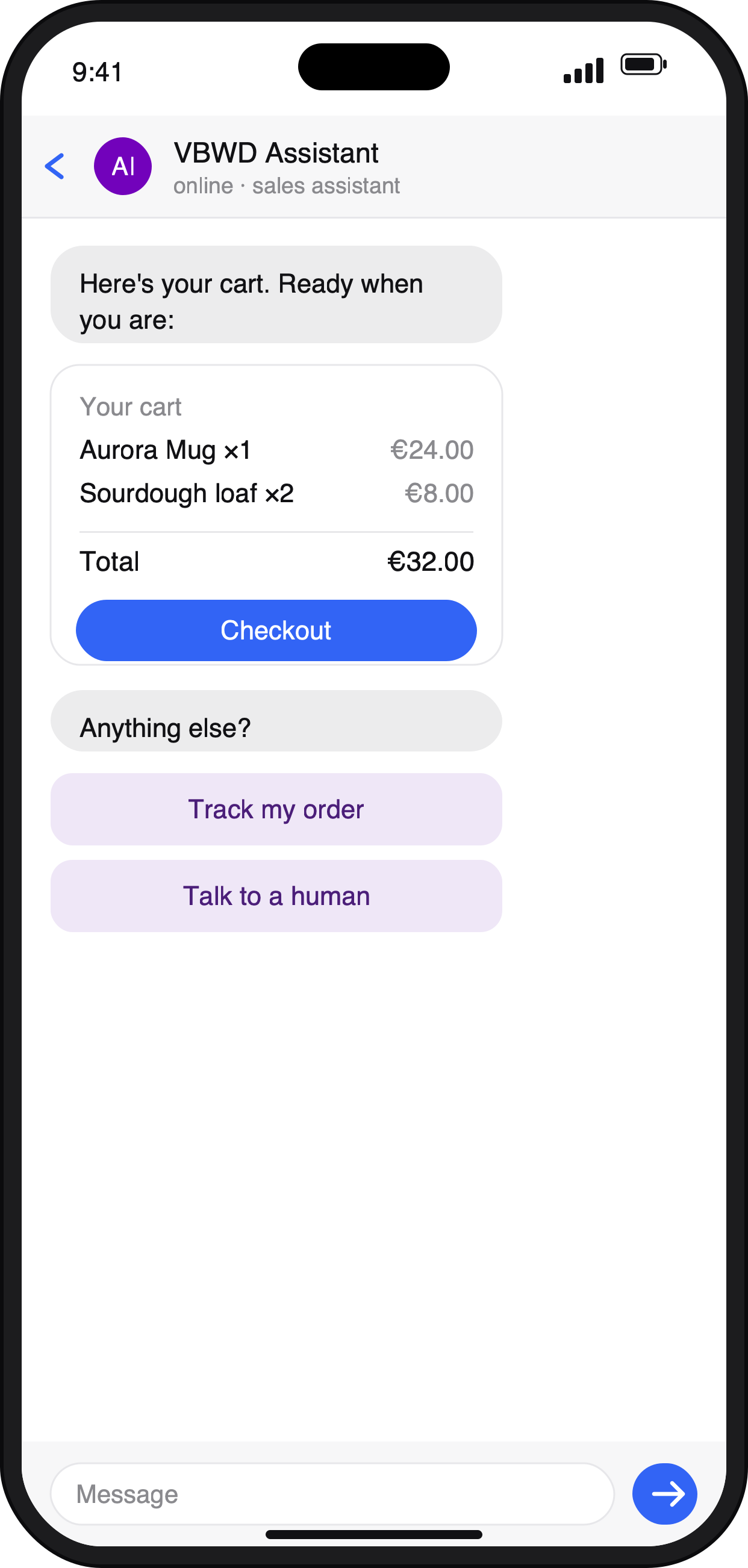
Because bot-base defines choice buttons and card blocks as first-class message types, the conversation stops feeling like a chatbot and starts feeling like an app. The bot replies with tappable options; a recommendation arrives as a card; a cart shows line items with real prices and a Checkout action. And because these are neutral blocks, Telegram renders them as native inline keyboards and VBWD's own messenger renders them as buttons — the same bot, both places.
Step 6 — Configure, don't code
Putting it together, the whole build is mostly enabling plugins and filling in config:
- Have your catalogue with priced products.
- Enable bot-base, then bot-telegram (and/or keep it in
meinchat), and set the Telegram token + public URL. - Enable bot-meinchat-llm; point it at your central LLM connection, write a persona, and fill the RAG corpus with your product and sales knowledge.
- Optionally add bot-search for an explicit
/searchcommand over the catalogue. - Reindex the corpus, and your Telegram channel now has a price-honest consultant that answers in tappable cards.
The honest limits
A few things to keep in mind. The consultant's retrieval is full-text, not semantic embeddings — cheaper and simpler to run, but the quality of your corpus matters. The underlying messenger is text and images (no voice/video). It's self-hosted, so you run the server and configure the LLM connection. And a sales bot is only as persuasive as the content and sales lessons you feed it — the platform gives you a grounded, price-honest, rich-content consultant; the pitch still comes from what you teach it.
Why it's different
The thread through all of it is that the bot isn't a bolt-on — it's part of a commerce platform that already knows your catalogue, your prices, your customers, and your channels. That's why it can quote a real price, why "Checkout" is a real button, why it can't be pointed at your customer list, and why writing it once gets you a consultant in both Telegram and your own messenger. For the deeper architecture, see the architecture overview and the plugin catalogue; for the platform's broader "build commercial AI apps from plugins" thesis, the constructor article puts this in context.
Learn more about VBWD
VBWD is a self-hosted, source-available platform for building subscription products, marketplaces, and AI-powered apps. Explore it further:
- 🌐 Website and documentation: vbwd.cc — see the plugins, architecture, and developer docs.
- 💻 Source code and plugins on GitHub: github.com/VBWD-platform
- 🎥 Watch VBWD in action: demo video 1 and demo video 2
- 💼 Follow the project on LinkedIn: linkedin.com/company/vbwd
VBWD is source-available — clone the public SDK on GitHub and start building.